Posts

Showing posts with the label classroom management

Devices are not a distraction

Teaching in a 1:1 environment is truly a great opportunity for both you and your students. It allows for immediate access to the most recent information, endless opportunities for students to create and demonstrate their understanding of the concepts, as well as personalizing the learning for your students. However, I am often hearing that the devices are becoming a distraction. Students become off task and are on websites or apps that are either inappropriate or unwanted at the time. The first instinct for the teacher is to take the device away. However, it is a learning tool, just as a paper, pencil, and book are learning tools. We certainly do not take those away from our students. We deal with the behavior, redirect students to get back on task and reinforce to use the device appropriately. So, over the break, I took an opportunity to read a book called Classroom Management in the Digital Age: Effective Practices for Technology-Rich Learning Spaces by Heather Dowd and Pat Green. I...

New and Revised Curriculum for Digital Citizenship

Image
https://www.commonsense.org/education/digital-citizenship/curriculum One of the critical areas we, as educators, focus on daily with our students is being a responsible citizen in our society. We work on building character skills on a daily basis in various ways, whether it is circle time/morning meeting, community building activities or reteaching those quick lessons when students need a “refresher” on those good habits of mind. The question is, how do you implement the learning required for students to be responsible “digital” citizens? So you know where to start? Common Sense Media has recently released some new and revised lesson plans that are FREE and completely ready to use. Here are some highlights of what you can find on their website: Lessons are organized based on revised topics under the big umbrella of “Digital Citizenship” . This list also reflects the new “scope & sequence” where the first topic is more general, progressing to a more complex topic. ...

SC Midlands Summit is June 12-13, 2019

Image
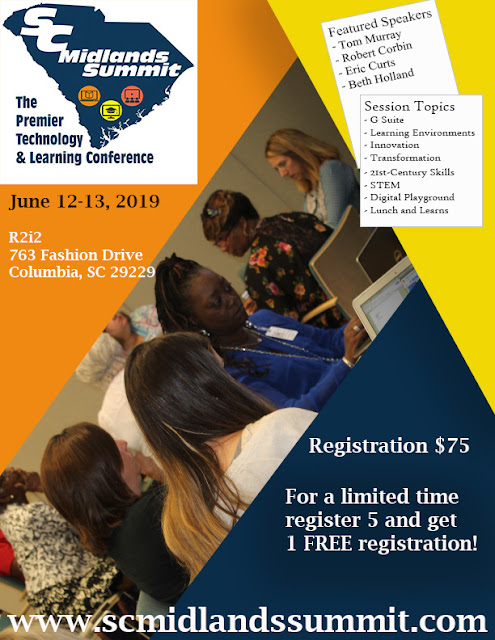
Come join us for 2 days of fun and learning. $75.00 for 2 days.  Districts - if you purchase 5 registrations, get the next registration for FREE! Go to www.scmidlandssummit.com for more information.  

SC Midlands Summit

Image
We are excited about this year's SC Midlands Summit lineup. This year we have 2 new featured speakers and 2 returning featured speakers. Here is a peek at their topics they will focus on at the Summit, June 12-13th. There is something for you... Tom Murray, Learning Transformed: 8 Keys to Designing Tomorrow's Schools, Today Leading with Purpose From Research to Practice, How to Create the Learning Spaces Kids Need Tech Tools for Student Engagement and Teacher Effectiveness Robert Corbin Keynote Speaker from Discovery Education - STEM and STEAM Focus Eric Curts Google Tools for Art and Music Education Google Tools for Struggling Students Holy Sheets! Google Sheets activities for all Subjects 360 Degree Learning with Google Tour Creator Googley Activities for Primary Students Awesome Google Drawings in your Classrooms Beth Holland The Pen is NOT Mightier than the Keyboard: Strategies to Embrace & Scaffold Digital...

Starting Your Class off Right

Image
Starting your class off in a productive way can jump-start a student’s thinking process toward a learning objective/target. “Bell Ringer” activities are usually a short question, problem or task for students to engage in that can either review the previous day’s topic or begin thinking about today’s topic. In a 1:1 digital environment, these bell ringer activities can add more creativity and Google Suite has everything you need to make it relevant and meaningful for the students. I have 4 simple strategies that you can use in any subject that will take between 5-10 minutes to complete. Create a Comic Strip using Google Drawing ELA: Comic Strips are a great way to encourage reading and writing and reinforce key story elements  Have students recreate a scene from a story the layout of comic strips is a useful tool to help students plan a beginning, middle, and end to their story or their interpretation of an event that occurred in the book. Science/Social Studies: Ask a ch...

Google Classroom 2018 updates

Image
Google does a great job of responding to feedback on its apps and regularly updating platforms to reflect user requests.  This fall, Google redesigned some key features of Google Classroom, a commonly used learning management tool in our district.  This blog post will provide the reader with some resources highlighting the major changes to Google Classroom as well as highlight some tried and true tips for distributing and collecting work using the tool.   Key feature updates, as outlined in Google’s blog , are as follows: New Classwork page —Teachers and students have a new Classwork page. Teachers can post assignments and questions on the page, as well as group them into modules with the topics feature.  This means that the stream page is the best place for announcements and posts that are not related to a specific assignment. Teachers and students will likely spend most of their time in the classwork tab. New grading tool in Classroom —Teachers ...

Do you know DyKnow?

Image
Tim Swick, technology and learning coach at Jackson Creek Elementary School, contributed the following content regarding DyKnow, the district's newest tool for monitoring student activity on Chromebooks.  Tim blogs at  https://technologyandlearningjacksoncreek.wordpress.com   and can be found on Twitter at @itecswick .  Thanks Tim! Last year, one of the biggest requests teacher made across the school as well as the district was to have some sort of digital classroom management software. Prior to last year, our district used a system called Hapara, however, due to escalating costs and some other concerns regarding to actual classroom use this system was abandoned. I am happy to report that this year, our district has made the decision to once again offer a digital classroom management system called DyKnow. Dyknow is designed to be a simple device monitoring platform that will assist in keeping students on task. At a basic level, it is designed to record class...

"THINK" Before You Post

Image
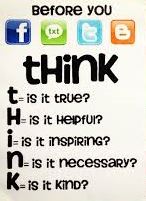
Are you aware of the digital footprint you are leaving when you go online? Think about the last thing you did on the internet. Was it a post on Facebook, Twitter or Instagram? Were you shopping on Amazon or another online store? Maybe you were searching for a recent news story that you had heard about on your way to work/school this morning. Whatever the action was, it left a digital footprint that can be traced, searched, copied and shared by anyone. So why is knowing your digital footprint critical? Because it can impact your future no matter your age. The content you post or share online can potentially change a person’s perception of you. Students who apply to join school clubs, athletic teams or even moving onto college could lose an opportunity if a digital footprint was misconstrued or misrepresented their personal image. It can impact a new job whether you are trying to advance in your current career or change careers altogether. Future employers can search your name and lear...

Keeping those devices working!

Image
Integrating technology into your instruction offers lots of exciting opportunities for both teachers and students. Ensuring that all the students are prepared to learn with a working device is important for these lessons. Though the ultimate responsibility lies with the student to take care of their Chromebooks responsibly, teachers can help emphasize how best to handle the devices. Teachers can model behaviors for students .  Students watch and look up to  teachers.  If teachers carry devices properly (closed with two hands), students will be more likely to follow suit. Use a case, every time.  Students should be in the habit of moving around the school with their device in a case.  When students stick to the routine every time , accidents are less likely to happen.  When students leave the classroom with their devices to go to other classes, see the Technology and Learning Coach, or visit the library, require that they use a case.   Engage ...

Tech Friendly Classroom Culture

Image
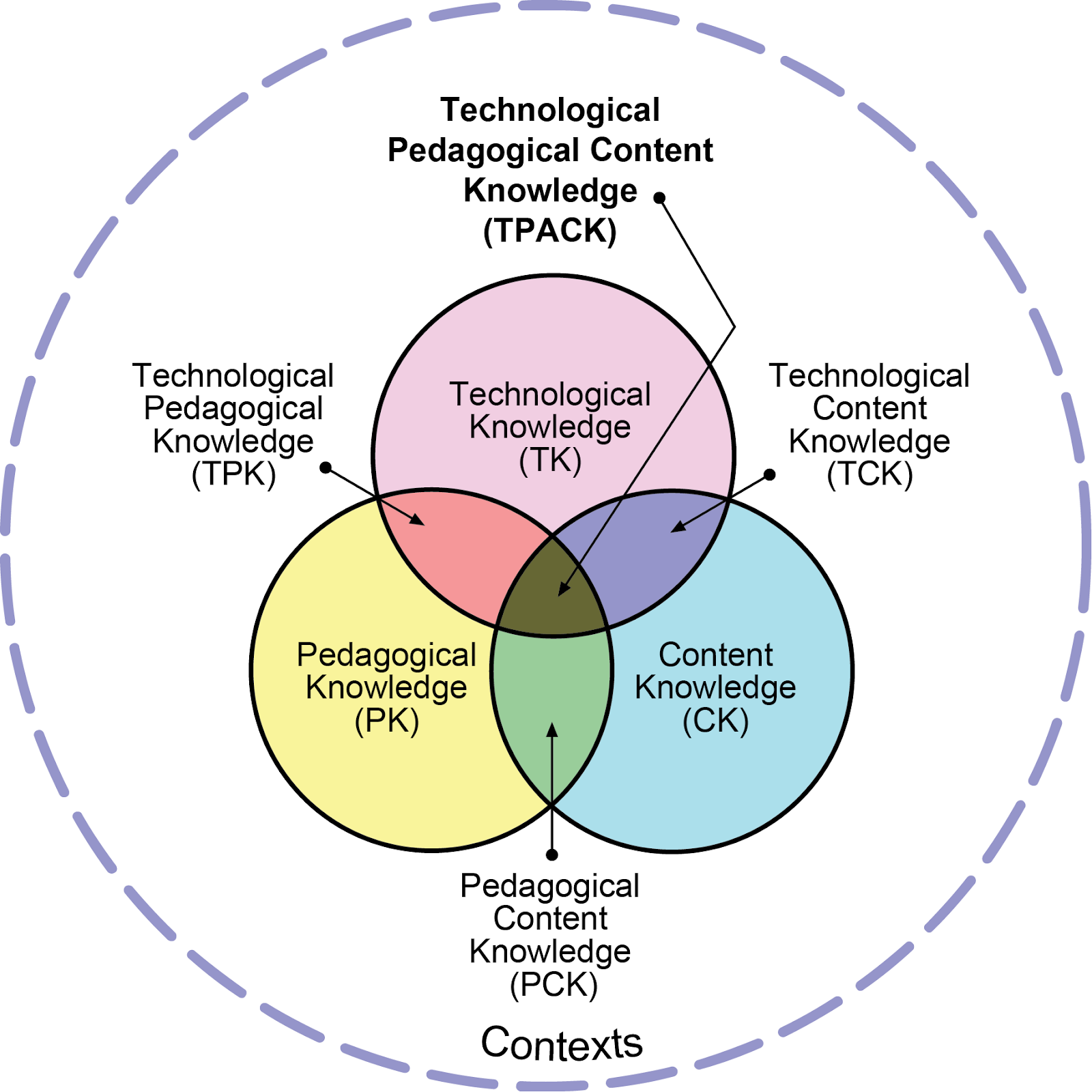
As you build your culture in your classroom with your students, take a moment to think about how you will build a safe digital learning environment. It is critical you start from day 1 and stay consistent with the procedures you establish. Let’s review some tips that teachers have used in the past. Keep Learning First When you are designing your lesson or unit, keep the learning goals and outcomes at the forefront of the planning. If it’s determined that technology will be a tool to use, be sure it aligns with those predetermined standards, learning goals and the skills your students will be using during the application. The TPACK framework can give you more information and guidelines when designing your lesson. Technology can enhance direct instruction . Technology is a learning tool that should also engage the student in the learning. There are ways that you can engage them during direct instruction through sharing the presentation using Pear Deck or having conversat...