
Posts

Showing posts with the label organization

Embrace the Fresh Start of a New Year!

Image
  A new year brings new opportunities for growth and change, and can be a launchpad to reflect on ways you want to grow both personally and professionally. MobileMind has several helpful micro-courses to get you started on a new (and quick) learning journey! Here's one example:   Do you have a goal to get more out of your Google Drive?  MobileMind has a few micro-courses for you: “Drive: Head in the Cloud” which will take you less than 10 minutes to complete, and you’ll come out with a brief overview of Google Drive. “Drive: Alive in Drive” where you will learn how to convert any files you upload to the Google editing format “Drive: TeamWork Makes the Dream Work” which helps you take collaboration to the next level! “MM Minute: Search Chips in Drive” wherein you will learn to use Google Drive ‘search chips’ to refine your search when searching for a file in your drive.  Best of all, this course is predicted to take only 3-4 minutes! MobileMind’s library of micro-cour...
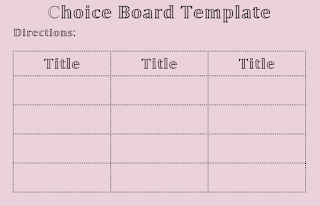
Increase Student Engagement and Motivation with Choice Boards

Image
Are  you struggling with getting students to complete classwork or homework? Maybe you are struggling with grading the same assignment 25+ times. Have you considered providing your students a choice in how they engage with the content and demonstrate their understanding? A simple way to provide students with an opportunity to make a choice in their own learning is with a choice board. What are Choice Boards? In a nutshell, it is a board comprised of squares that allow students some choice in their learning. Each square lists an activity students can complete, whether it is a concept or skill. This differentiated approach allows students to learn content or demonstrate their understanding in a way that interests them. Choice boards can be used in any subject and offer a variety of learning contexts for all learners. What are the benefits of using Choice Boards? Choice boards allow students to make their own choices, increasing intrinsic motivation. I am sure you are more motivated ...

Google Keep Can Keep You Organized

Image
Have you ever needed to take notes or create a list quickly?  If the answer is YES!, then Google Keep is the tool for you and your Student  Google Keep allows you to take notes on the fly from any device with the app or internet access.  Haha, did you get the pun “fly?” It is supported on every platform, IOS, MAC, Android, Chromebooks, and Windows.  Keep is integrated into the sidebar and Tools menu of Docs, Sheet, and Slides. Notes you create on your cell phone can be accessed on your computer or any other device that has the Keep app. You can even create a note by recording your voice.  Also, you can color-code notes, create categories for your notes, add an image, take pictures, create a drawing, create a checklist, assign a reminder date and the best is you can share them with others, brilliant! Google Keep is an excellent AVID organization tool for your students as well.  Students can keep vocabulary and spelling lists handy for review o...