Posts

Implementing digital communication in the classroom

Recently we blogged about some considerations for teachers who are considering implementing digital communication learning activities in their classrooms.  We talked about why providing a digital space for communication was important and how this could be achieved using various tools.  Google Slides Q&A Presentation Mode Presenters can start a live Q&A session with an audience during a presentation with Google Slides. You can present questions at any time, and people can ask questions from any device. FlipGrid video discussion platform. TriCider crowdsource and backchannel discussion VoiceThread allows students to use images, files, and video for collaboration and discussion. *Paid subscription, free to employees in our district. Lino is a digital corkboard where students can leave “sticky notes”, images, or video. Tozzl  is a digital easy-to-use pinboard that enables people to collaborate with others Google Classroom has a question feature in the class...

2019 Film Festival Begins

Image
Each year, Richland Two provides a unique opportunity for students and district staff to share their story through video creation. We are excited to be in our 6th year and know it will be a bigger event this year. Our window of opportunity begins on September 10th, where   students can complete the interest form   and  turn in  permission slips . 

Empower Your Students to Responsibly Communicate Online

Image
The beginning of the school year can be overwhelming. From learning new students’ names, establishing norms and classroom rules that students must follow in the classroom to then developing a classroom culture that is safe and conducive to learning, it's no wonder that teachers are unusually exhausted in those first few weeks.  As educators, it is the same “beginning of the year” lecture every time and it is the same presentation for the students every year. Teachers want to ensure students understand what is expected and what a good citizen does in class and school each day. Students practice being a good citizen each day and learn from the mistakes made. When an unacceptable action occurs in the classroom, at lunch or during recess teachers take that moment as a learning opportunity to correct it for the future in hopes it won’t happen again. So as I ask you, can we empower our students to learn to be responsible citizens in the digital space by giving them frequent opportuniti...

Digital portfolios for learning

Image
All teachers would agree with the statement test scores don’t tell the whole story of a child.  It doesn’t matter if we’re referring to teacher made assessments or state made assessments, there is so much more to our students that could be shared.  But how can teachers allow for that process?  Portfolios.  Portfolios are also a great opportunity to apply the concepts from our Think Before You Post blog in the classroom. Portfolios to demonstrate the learning process of a topic are certainly not new to education, especially when it comes to assessment in the arts.  This style of assessment tool has long been appreciated to allow an opportunity to show progress in a student’s growth over time and provides a greater context for the student’s learning.  With the prevalence of devices such as Chromebooks equipped with cameras and microphones, virtually any subject can now be documented in a portfolio method which can be highly engaging and full of reflection ...

Google Classroom 2018 updates

Image
Google does a great job of responding to feedback on its apps and regularly updating platforms to reflect user requests.  This fall, Google redesigned some key features of Google Classroom, a commonly used learning management tool in our district.  This blog post will provide the reader with some resources highlighting the major changes to Google Classroom as well as highlight some tried and true tips for distributing and collecting work using the tool.   Key feature updates, as outlined in Google’s blog , are as follows: New Classwork page —Teachers and students have a new Classwork page. Teachers can post assignments and questions on the page, as well as group them into modules with the topics feature.  This means that the stream page is the best place for announcements and posts that are not related to a specific assignment. Teachers and students will likely spend most of their time in the classwork tab. New grading tool in Classroom —Teachers ...

Do you know DyKnow?

Image
Tim Swick, technology and learning coach at Jackson Creek Elementary School, contributed the following content regarding DyKnow, the district's newest tool for monitoring student activity on Chromebooks.  Tim blogs at  https://technologyandlearningjacksoncreek.wordpress.com   and can be found on Twitter at @itecswick .  Thanks Tim! Last year, one of the biggest requests teacher made across the school as well as the district was to have some sort of digital classroom management software. Prior to last year, our district used a system called Hapara, however, due to escalating costs and some other concerns regarding to actual classroom use this system was abandoned. I am happy to report that this year, our district has made the decision to once again offer a digital classroom management system called DyKnow. Dyknow is designed to be a simple device monitoring platform that will assist in keeping students on task. At a basic level, it is designed to record class...

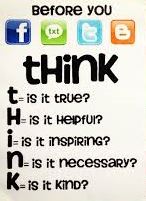
"THINK" Before You Post

Image
Are you aware of the digital footprint you are leaving when you go online? Think about the last thing you did on the internet. Was it a post on Facebook, Twitter or Instagram? Were you shopping on Amazon or another online store? Maybe you were searching for a recent news story that you had heard about on your way to work/school this morning. Whatever the action was, it left a digital footprint that can be traced, searched, copied and shared by anyone. So why is knowing your digital footprint critical? Because it can impact your future no matter your age. The content you post or share online can potentially change a person’s perception of you. Students who apply to join school clubs, athletic teams or even moving onto college could lose an opportunity if a digital footprint was misconstrued or misrepresented their personal image. It can impact a new job whether you are trying to advance in your current career or change careers altogether. Future employers can search your name and lear...